Tutorial - Snow Effect
Intro
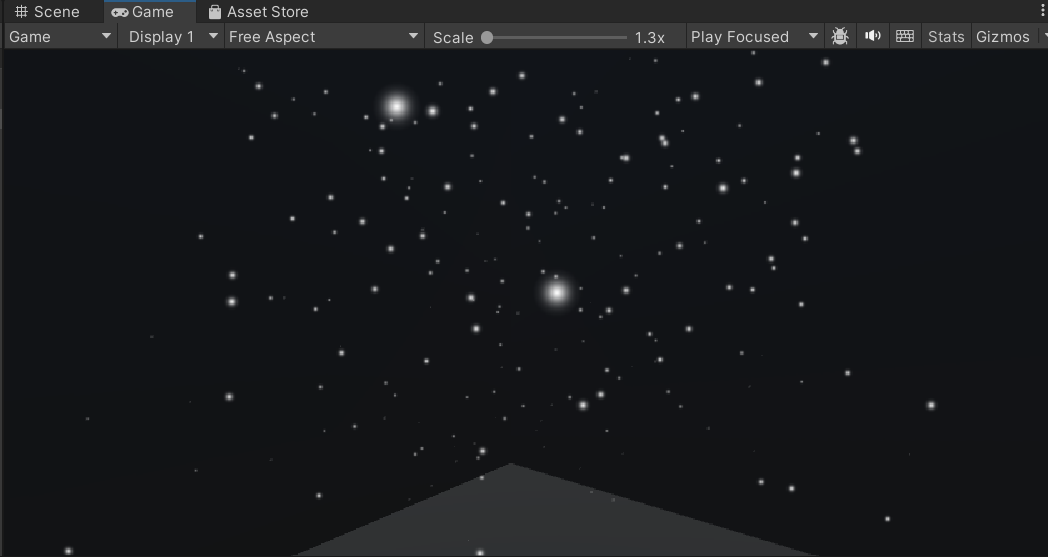
Today, I will be showing you how to make snow in unity. I learnt how to do this because my final game project, HeatSync, was based in a snowy landscape. You can find it linked below to learn more about that project. Now in order to achieve this look, it is fairly simple and all you need to do is follow the instructions down below!
Step 1
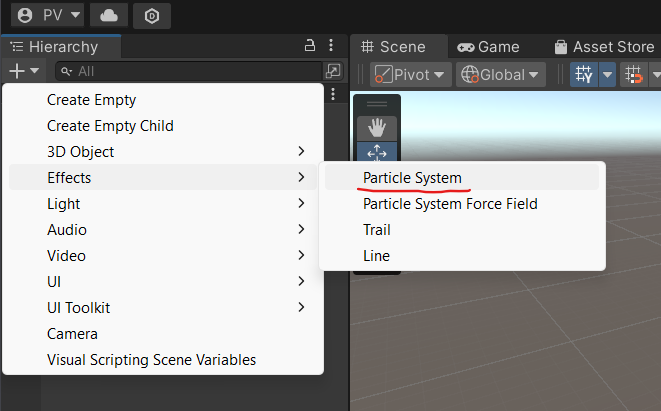
Create a new particle system by going to your hierarchy and pressing the plus button. That should then open up a drop-down menu with different categories. Hover over the effects tab and then click particle system.
Step 2
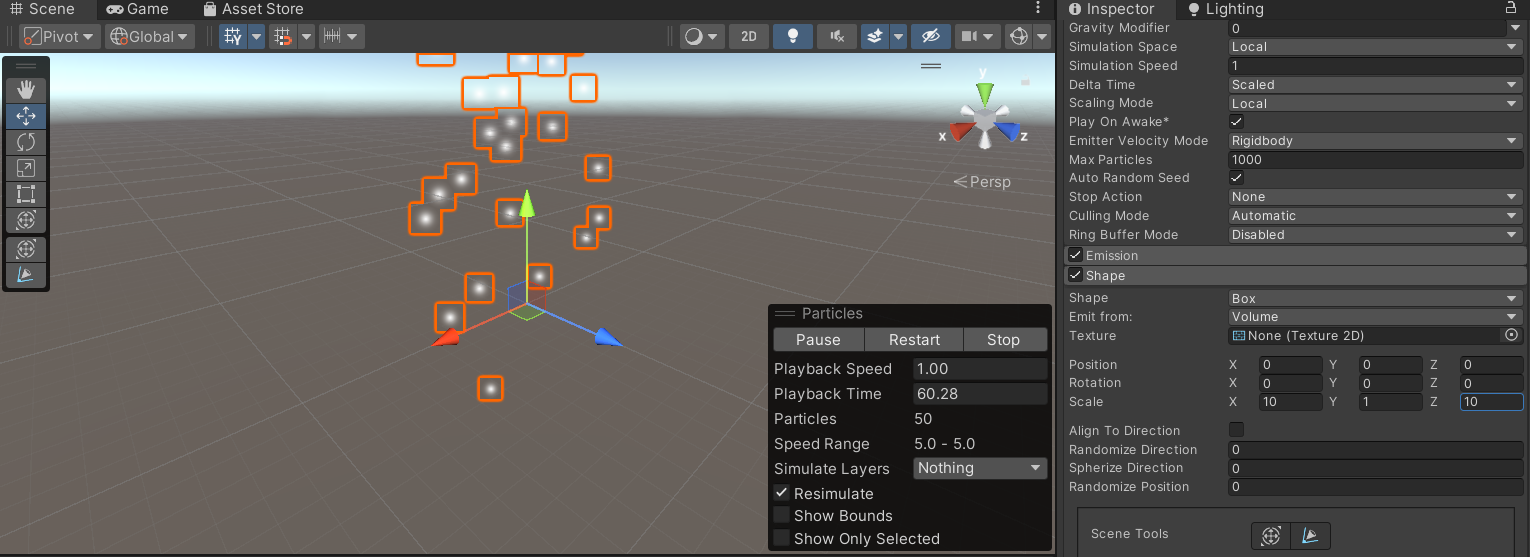
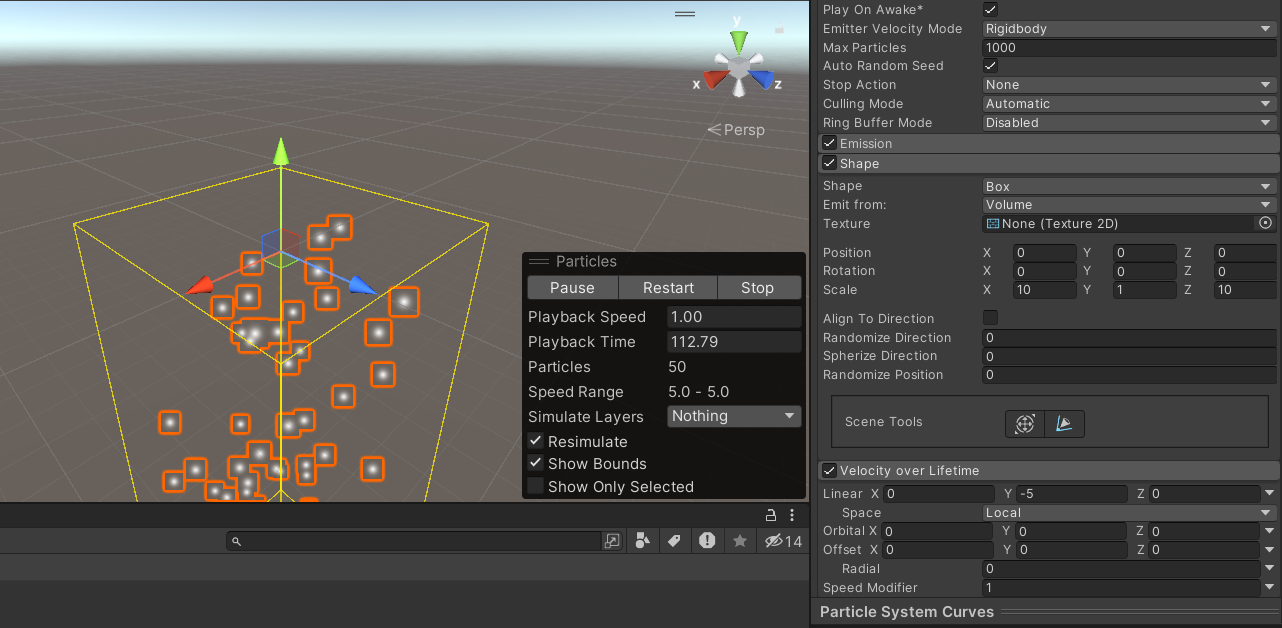
Change the shape of the particle system. You can do this by clicking on the inspector and expanding on the shape module. Change the shape from the default cone to a box shape. Then change the scale so it is 10 on the X & Y axis.
Step 3
Now the next step is to reset the start speed. Change the value of the start speed in the main snow editor so it stops moving in the direction of the box's forward axis.
Step 4
Set the velocity over lifetime to falling now, go into the velocity over lifetime tab and set the liner X axis’s Y axis to -5 so they move down like falling snow.
Step 5
Increase the emission value, check the box so its active and change the rate over time to 100 so there are more particles.
Step 6
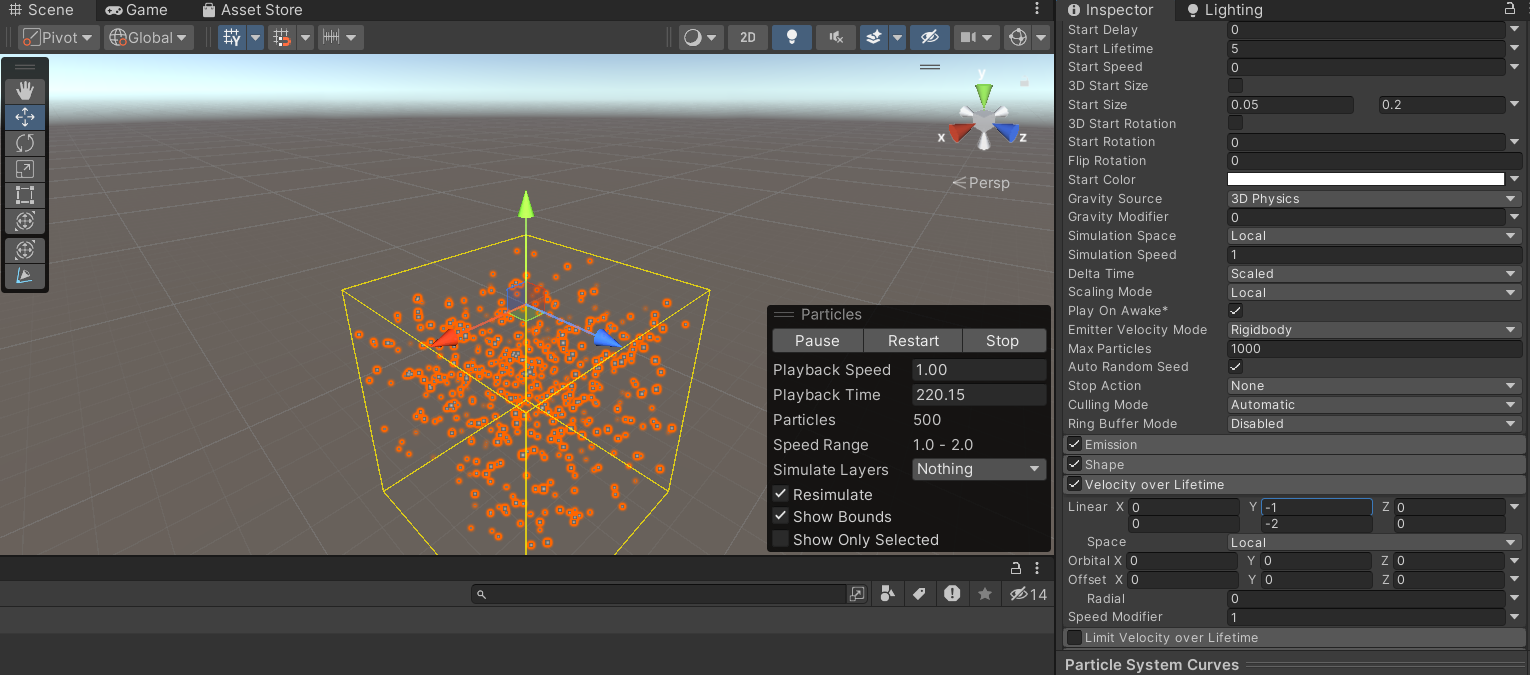
Set the start size to the range (0.05, 0.2), to randomize the particles you need to find the start size setting and click the arrow on the left side, then select the option to have it random between two constants. Then returning to the velocity over the lifetime, randomize the Y value to give a parallax effect. This can be done by repeating the same process with the linear X section, then changing the Y values to be -1 & -2.
Step 7
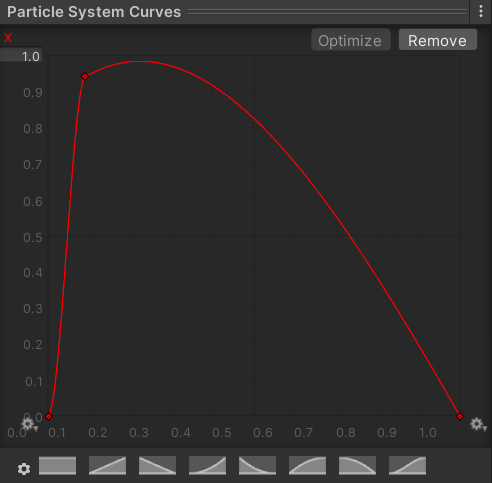
The next step now is to make the snow get smaller over time, to do this just select the lifetime module, enable it and then go into the curve and change it so the snow particles rapidly reach their full size and then shrink and fade away. By double tapping you can add a node to make it look like my curve but there are also presets you can select.
Step 8
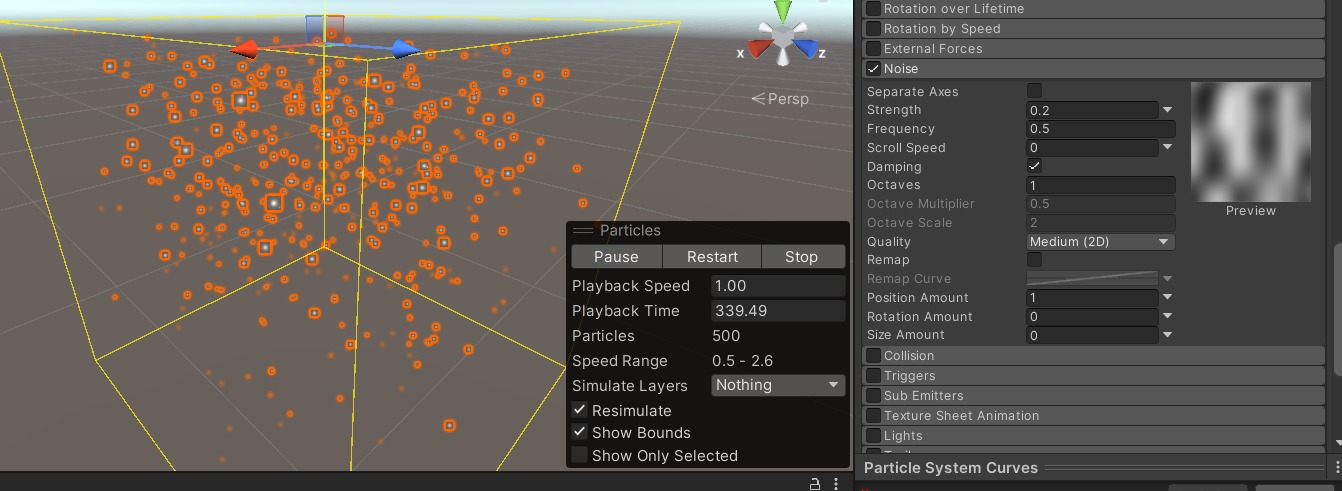
Add noise to the snow so that the movement looks more natural. To do this, select the noise module and then turn down the strength to 0.2. Then you are all done and should have a working snow particle effect!